


Create a work plan: This is how it works!
Across all industries, work schedules are an important tool for maintaining an overview of both economic and technical processes in the company. Particularly in companies with a high number of employees, they support HR staff and project managers with long-term and short-term deployment and process planning.
Would you like to know how work plans are created? In this article, we’ll show you what’s important.
What is a work plan?
A work plan is an overview that provides all the information required for the manufacture of a product or the provision of a service. This includes
- the duration of the project,
- the place of work,
- the working hours,
- those responsible and
- the individual work steps.
What is the purpose of a work plan?
Structured and successful project processes are only possible with the help of a work plan. In the long term, it helps the company to achieve its corporate goals.
The most important advantages of a work plan at a glance
- The better a work plan is drawn up, the easier the project process will be in the end.
- A work plan rationalizes processes and saves you costs as an entrepreneur.
- It supports HR in long-term and short-term personnel planning, as it shows how many employees with which expertise are required.
- A work plan gives project managers an overview at all times of which employee is where and at what time with which tasks. The team leader can intervene at short notice to optimize – if necessary – and thus avoid absences.
- A precise work plan helps your employees to know exactly what they have to do and what you expect of them. This increases the satisfaction of your workforce and strengthens the team.
- Work schedules can improve customer service performance. Thanks to a precise work schedule, a suitable employee is available around the clock if required.
Difference between a routing and a production plan
Many people know the word work plan from manufacturing, such as in mechanical engineering. However, this often refers to a production plan. It is a sub-form of the work plan.
The difference is that a production plan reflects the central work process within the creation of a product and is created centrally and over the long term by the company. A work plan, on the other hand, is created by the project managers and is usually tailored to the needs of individual projects.
What types of work plans are there?
Depending on the industry, there are a whole range of different types and styles of work schedules. From a planning perspective, there are three classifications:
New planning
As the name suggests, this is a fresh initial planning of a work assignment. The project or work process is completely new and has not been carried out in a similar form before. New plans must be created as early as possible, as the data and feedback from many different departments and managers is often incorporated.
Similarity planning
Similarity planning is when a work process or project planning has already been carried out in a similar form. In this case, the previous plan can serve as a template for the new work plan. Example: Trade fair A took place in September of last year. Trade fair B in February of the following year has similar exhibitors, the same context and a comparable scale.
Recurrence planning
A client was completely satisfied with how the last project went and is booking your team again for the same event? Congratulations! In this case, you can rely on repeat planning by pulling out the archived work plan and adapting it to the current circumstances.

How should a work plan be structured? 7 tips for creating one
Drawing up a work plan sounds simple in theory. But what does it look like in practice? Here are some tips that can be useful when creating a work plan:
1. define your goal
Think about the purpose of the work plan. What do you primarily want to achieve with it? If you get stuck in between, this first step will help you to find the “common thread” again.
2. note down background information on the project
Knowing the most important information about an event, for example, helps both the project manager and their employees to better understand the individual work steps. You always have the most important facts to hand for internal and external questions. You can also describe problems from the last project and list alternatives to avoid repeating them.
3. set milestones
Milestones make sense for long-term work plans. This allows you to check from time to time whether everyone is on the right track to achieve the goals you have set. If this is not the case, you should consider which optimizations need to be made in order to get back on track.
4. be SMART
The application of the SMART formula proves to be extremely useful for many work plans. It looks like this:
S = Specific
What exactly is the project goal? Who is your team working for? What does the customer expect from you?
M = Measurable
How do you want to measure your goals? For example, is it about achieving the number of units produced or should a certain percentage of more shares be achieved? In what time frame should these figures be achieved?
A = Attractive
Have you planned your project in such a way that you have the desire to achieve your goals? The reason why this criterion exists is that not every goal is easy to achieve, as many projects experience setbacks. However, if achieving a goal is attractive enough – for example, because it leads to efficient processes and therefore higher sales in the long term – any failures can be overcome.
R = Realistic
Is it a realistic goal? Can the goal be properly implemented within the specified time with the planned resources and the number or expertise of the employees?
T = Terminated
When should the project be completed? At what time is the review of the interim goal planned?
5. draw up a resource plan
Think carefully about who and what you need for the project. In addition to the available budget, the premises and the equipment, you also need to plan your personnel requirements efficiently. This involves not only evaluating the number of employees, but also asking yourself what skills the staff should have.
6. be prepared for eventualities
Event organizers or companies such as promotion agencies can tell you a thing or two about what can go wrong at trade fairs, concerts and the like. So always think ahead when drawing up your work schedule. Plan for replacement staff and always consider a plan B and C so that you never jeopardize the achievement of your goal.
7. define responsibilities
This is where you go deeper into the scheduling of your workforce. Define as precisely as possible who is responsible for what, when and where. In many cases, it makes sense to assign experienced managers to lead new teams. This will help both you and your employees to ensure smooth implementation.
Creating a work plan – the most important things at a glance
- Product or service in question
- Materials/resources required for the service
- Employee selection
- Precise division of work location/workplace/employees
- Precise work processes/work steps
- Sequence of operations
- Tools/utensils/aids that are required
- Possible safety regulations/precautions at the workplace
- Duration of the project and maximum duration of the individual work steps
- Cost overviews (personnel, material, etc.)
- Sketches if necessary
Conclusion: Create the work plan for your area of application with Teamhero
Creating work schedules often sounds easier than it is. Especially for companies with a large number of freelance project staff, scheduling is the biggest challenge – and a huge time commitment.
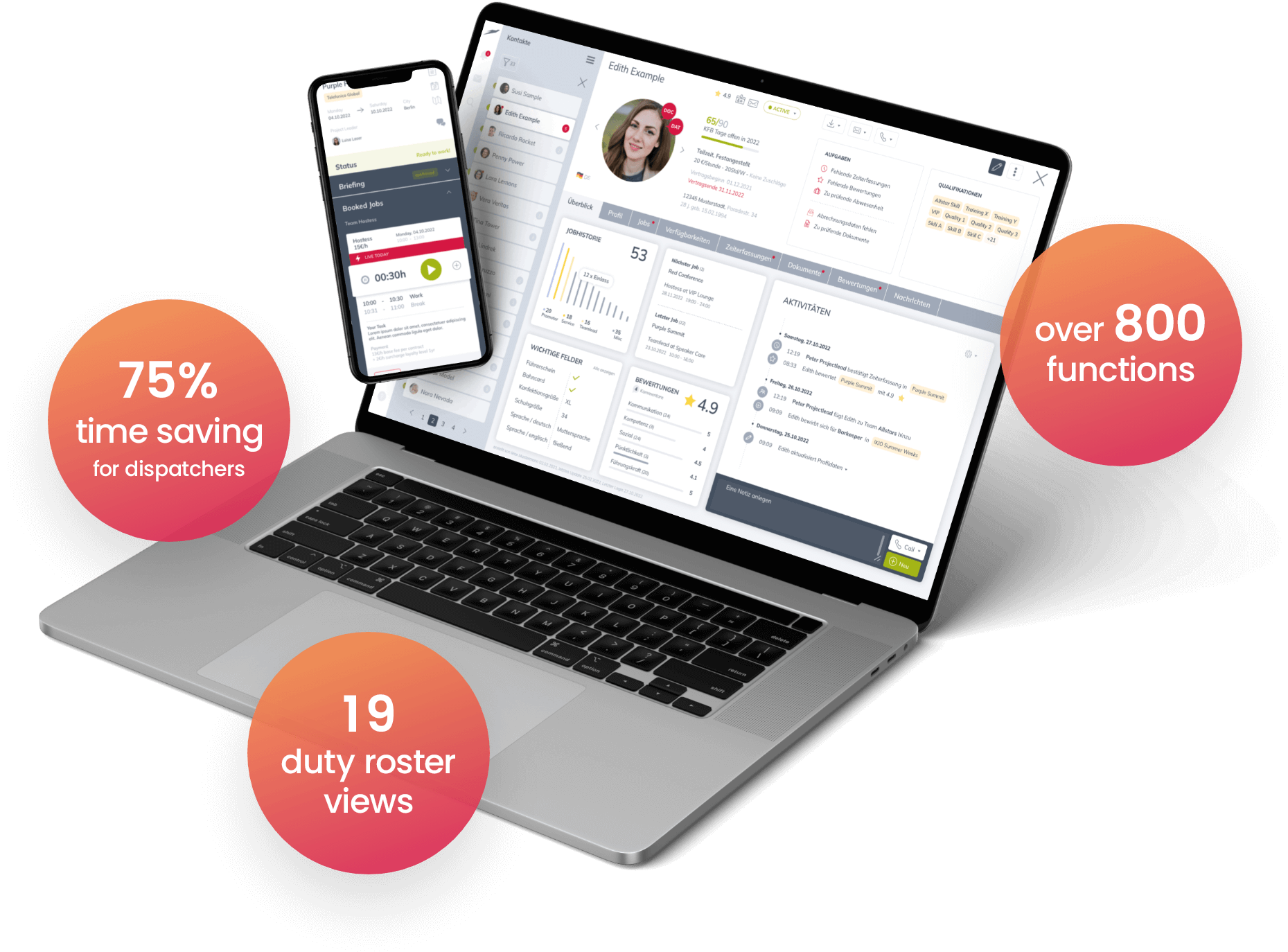
Teamhero software saves you a lot of time and money. Let our innovative system do the work for you, with its clearly laid out templates and plenty of scope for quick rescheduling on site.
An excerpt of some of Teamhero’s useful features
- Quick overview of available employees with filter function by qualification, deployment radius, employee attributes and zip code.
- Creation of detailed schedules with assignment details (e.g. employee A between 19:00 and 22:00 at the bar in hall C).
- Automatic assignment of jobs with notification function.
- Various filter options for shift planning, for example by weekly or daily view.
- Live recording of working times.
The software offers much more. At this point, however, we will simply let some of our customers’ success stories speak for themselves.
Would you like to try Teamhero for free?
Nothing could be easier! You are welcome to arrange a consultation with us. We will answer all your questions about our software and then provide you with a free demo.