


Create a duty roster automatically – it’s that easy!
Practical software creates your weekly, monthly and annual duty rosters almost automatically. So be smart and swap cumbersome Excel spreadsheets for efficient rostering.
Automatic data entry instead of spreadsheets with tedious formatting and a higher risk of planning errors. Instead, place all personnel management tasks, from shift planning and working time recording to the organization of all employee data and employee requests, in one hand or in one tool: Teamhero. In the following, we will describe the versatile functions and benefits of the program and explain why the duty roster software is also the perfect solution for your company’s duty roster design.
First of all, what is a duty roster and who needs one?
In many companies, duty rosters are drawn up so that both permanent and freelance employees know when they are working. Such an overview is usually divided into shifts, sometimes also into work areas, and can be valid for a day, a week, a month or even a whole year. Depending on how many different people are employed in the company and how many positions and departments there are to fill, creating a duty roster can be very time-consuming. Absences must be taken into account just as much as preferred times. If there is a spontaneous shift swap between two employees, this must also be registered so that the working hours can be assigned to the correct time account. A duty roster is therefore a very complex matter and a very important planning tool.
What functions and features does the Teamhero software support?
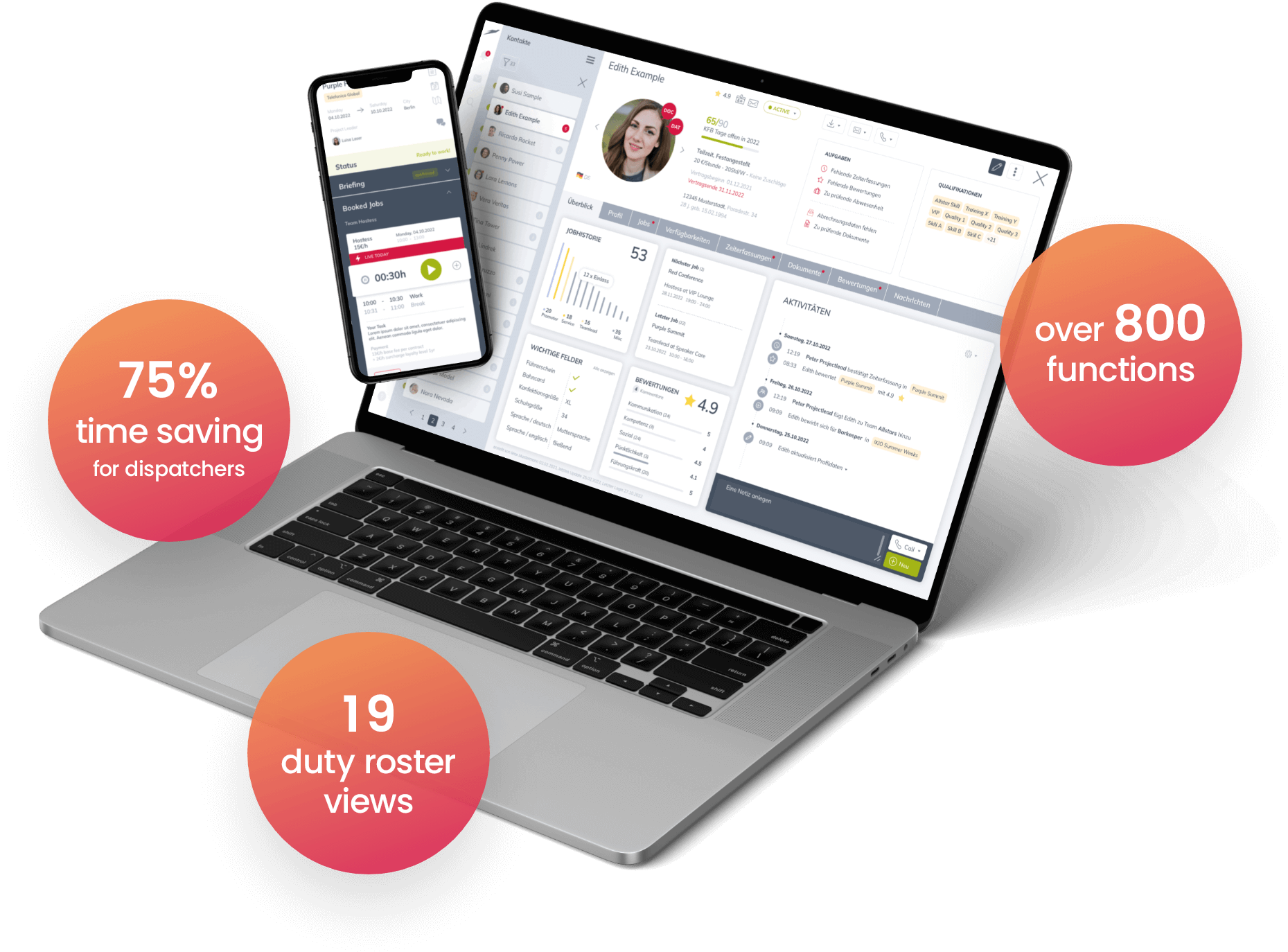
With Teamhero, HR managers can automatically create the duty roster and digitize many additional HR management tasks. The basic features of the tool include, for example, a personnel database in which you can collect all relevant employee data. By linking the individual profiles with the corresponding working time account, you simplify the recording of working hours and therefore also payroll accounting. Vacation times and other absences can be easily recorded and stored so that only those employees who are available in the required calendar week and can take on a rotating shift on a public holiday or weekend work are used when creating the current duty roster.
The most important functions of Teamhero at a glance:
Operational planning
Teamhero offers you clear templates for all types of shift plans. You can define your own work areas and add further criteria to tailor the roster to your needs and requirements.
Recruitment
Whether designing a job advertisement, managing and transferring applicants or organizing interviews, with Teamhero you have all potential new recruits under control and can impress with a professional appearance right from the start.
Employee database
Collect the relevant basic data on your employees in the Teamhero personnel database. If all the information is in one place that you and all authorized persons can access at any time, you can easily plan even last-minute duty swaps.
Employee portal
The more employees can get involved and the more transparent the overall planning of working hours and shifts, the higher employee satisfaction. Access to all relevant information is available on demand via the Teamhero employee portal.
Working time recording
With the help of Teamhero, you can record your employees’ working hours, rest breaks and overtime to the minute via smartphone, tablet or computer – not only for documentation purposes, but also as a basis for accurate payroll accounting.
Interfaces and exports
Employee data such as timesheets, working time accounts and absences can be exported and evaluated with Teamhero at the touch of a button. You can also prepare payroll accounting using automatic DATEV Lodas and Sage HR.
Documents
With Teamhero, you can, for example, create proof of hours worked for your employees according to an individual template. It is also possible to store contracts and individual agreements. This is not only useful in the case of a legal documentation obligation, but is generally recommended.
Which industries benefit from automatic rostering?
Counter question: Which industries wouldn’t be happy with fast, uncomplicated and efficient planning processes? That’s right, none! After all, reliable and accurate resource planning ensures good predictability, increases productivity and employee satisfaction and therefore contributes to business success. And who would want to do without it? Whether companies in the healthcare sector, providers of driving services or event locations – all personnel-intensive companies benefit from clear duty rosters that can be created automatically with Teamhero at the touch of a button and exported for further use if required. Let’s take a look at the best-known sectors in which annual, monthly or weekly duty rosters form the basis.
Retail trade
Who will be in charge of the till on Sunday? Will all stores and locations be staffed during the summer vacations? A duty roster provides clarity not only in the event of public holiday and weekend work, but also week after week, month after month, year after year.
Warehouse and logistics
Transportation never stands still. Who works during the day or holds the fort at night is regulated by a duty roster, which is divided into work areas and shifts. It ensures that a warehouse is always well stocked and that shipments are delivered to the customer on time.
Hospitality industry
Working when others are off work and having fun – restaurants and event locations know this all too well. To ensure that customers are always offered the best service, all shifts must be adequately staffed. A duty roster ensures the necessary predictability.
Healthcare
In a hospital, someone must always be awake in case of an emergency, so there must be no planning errors when scheduling shifts. If the duty roster is created automatically, a shift can be filled in a matter of seconds in the event of a short-notice duty swap.
Tips and tricks for creating duty rosters
Software such as Teamhero takes care of almost all the steps and tasks involved in rostering and shift planning. It is important that you feed the program with the necessary framework data. This includes, for example, planned absences, legally required rest breaks and, of course, individual employee requests. If all this information is stored in the HR database, the HR software works almost automatically and creates shift schedules that employees and HR staff can rely on equally. However, we would like to give you a few useful tips along the way, where your personal commitment is required:
Early rostering
To plan your own work-life balance better, you should plan shifts and especially night shifts and weekend work as early as possible. Thanks to Teamhero, there is no longer any reason to put off planning your shifts, because the software makes it easy and even fun to plan your shifts!
Observe legal regulations
Rest periods between two shifts or the length of a working day are not at the discretion of the employer, but are prescribed by law. First-class software takes regulations of this kind into account and alerts you if limits have been exceeded and the working time account shows too many working hours, for example. Always keep an eye on required rest breaks and maximum working hours and save yourself the trouble that sooner or later arises from non-compliance with legal requirements.
Involvement of employees
As a line manager, you are in charge, but you can only benefit if you let your employees have their say and take their individual wishes and preferences regarding shifts and working hours into account – provided the current staffing situation and workload allow it, of course. If you show fairness and respect, you will be rewarded with both. And what better way to drive business success than with high employee satisfaction and motivated teams?
Timely employee organization
To ensure that the availabilities stored in the personnel database are always up to date, basic data such as absences due to vacation periods or further training must be available. Make sure that your employees don’t wait until the last minute to submit their days off and inform the HR department in good time about their summer vacation or a training course lasting several days. It can help to set certain limits for vacation planning within a team so that not everyone travels at the same time and all departments and locations are staffed as well as possible, even during peak season or on bridge days.
Conclusion: Create roster automatically with the Teamhero software
No company can afford to spend an unnecessary amount of time on planning processes that can be completed in seconds at the touch of a button with the help of a tool. In today’s digital working world, staff scheduling software is therefore indispensable. If you want to create duty rosters automatically and are looking for a tailor-made solution with customizable functions, you should get to know Teamhero and try it out without obligation. The program facilitates the overall planning of shifts and working hours and helps to manage all employee data. This results in advantages not only for shift planning, but also for recording working hours, payroll, recruiting, communication and much more. Excellent service and a generous help section for the efficient use of the tool also speak for Teamhero.