Project management method Teamhero – everything under control
Today we’ll show you which project management method lets you keep your projects under control with Teamhero. With this toolbox, your personnel planning projects will be a success!
Starting points: dashboard, open tasks or personal calendar
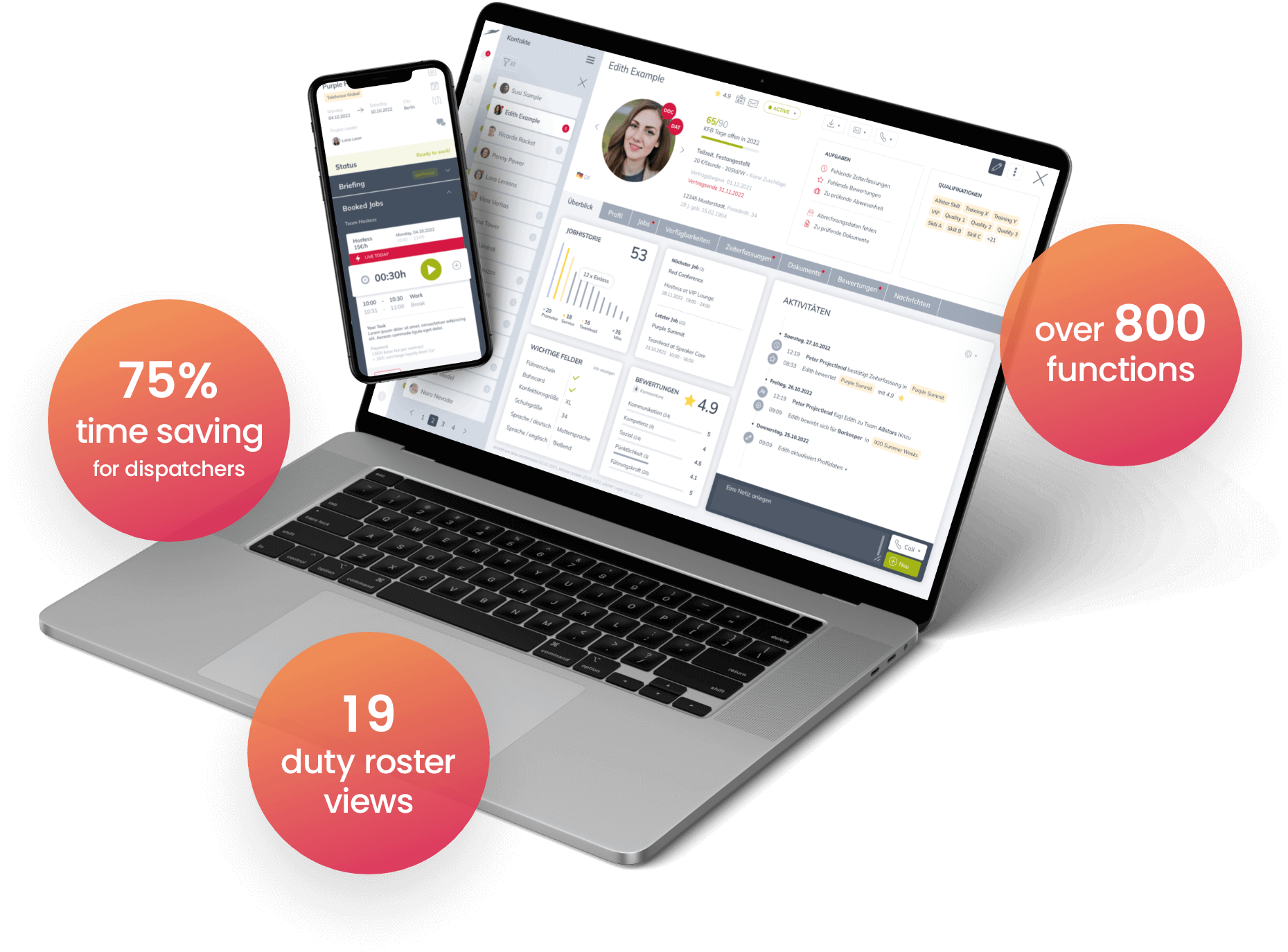
There are three different ways to get straight into your personnel planning in Teamhero. The dashboard provides an overview of all orders and projects. From here, you can act quickly and effectively. Use the search function in the dashboard to search for a specific project, employee or customer in Teamhero.
Another option is to start from the open to-dos or tasks. Conveniently, these are automatically sorted by priority. That way, you keep track of everything.
Alternatively, you can find your projects in your personal calendar. There you can quickly get an overview in a time context and then jump directly into team planning.
With these three entry points, you’ll never miss a to-do or deadline again. This project management method saves you time and therefore money.
Status of operational planning and activity history
Icons in the status bar show you whether you need to take action. This lets you see immediately whether a job is still unfilled, whether times need to be checked or whether the team needs to be rated. So this tool keeps you up to date! This display of the operational planning status is important so that nothing slips through the cracks and the status can be recognized quickly. This makes it a useful part of your project management process.
The history in Teamhero is the so-called activity history. At a glance, you can see who made which changes and when. This is not only practical, but also important for tracing the planning responsibility of the dispatchers and, if necessary, following up with them.
Project management method through structure – the project overview
Let’s get to the heart of the matter. The projects themselves. How are they mapped and managed in Teamhero?
In the overview, you will find all projects sorted in ascending chronological order. This is clear and practical, since here, too, you are just one click away from personnel planning.
New projects can be created easily in the Teamhero system. All the necessary information is requested. Apart from the project name, you can assign further attributes such as project description, category, project manager and customer. You can then subdivide the project into the various orders as required. This ensures a logical and uniform project structure.
There is no project management without the project itself. As just shown, Teamhero offers a sensible management mechanism with straightforward handling. A project management method that has proven itself.
Jobs, number of employees, qualifications
Now let’s dig a little deeper and look at the details. How does job assignment and recruiting work?
There are two ways to assign jobs. Either an employee from your own pool proactively applies for it, or you invite existing employees to apply. You can invite individual contacts or contacts combined into groups to jobs by email.
A concrete job list should already be created when the project is set up. The open positions are then filled with the help of your employee database in Teamhero, or assigned by you. If you don’t have the employees you need on hand, you can also recruit externally with Teamhero. You can find all the details in this article. Use the job list to determine exactly your staffing requirements in headcount and hours as well as your personnel budget.
Of course, potential employees must be suitable for the respective jobs. That’s why Teamhero also manages your employees’ qualifications. This way, only suitable employees can apply, or the dispatcher is shown only the suitable candidates from the pool.
For fast personnel planning, simply duplicate existing or past projects, orders or jobs.
Planning resources and inventory
Now let’s look at one more secondary aspect of successful projects. Namely, managing the materials you need.
At Teamhero, we refer to consumables as “resources”. Our system makes sure they don’t run out – provided they have been entered beforehand. The system then points out the required restocking; Teamhero shows you what is needed. All you have to do is buy it.
Our tip: Also enter your equipment as inventory. In other words, take inventory of your work equipment, mobile furniture or whatever equipment you keep and need for your projects. When it is well maintained, overbooking of work equipment and other equipment is avoided. This way, your employees at a trade fair, for example, won’t be left without work clothing, brochures or giveaways. Both consumables and inventory can be managed in connection with a job, so that actual consumption is reflected.
As you can see, we have thought of everything for successful project management. And of course also of the consumables and your equipment in use.
Conclusion: project management method
With Teamhero, you have your project management for personnel planning firmly under control. The tools presented here are at your disposal for this. Teamhero is well thought out and yet is constantly being optimized to make it even better. Try it out for free today:
www.teamhero.de/demo-anfordern